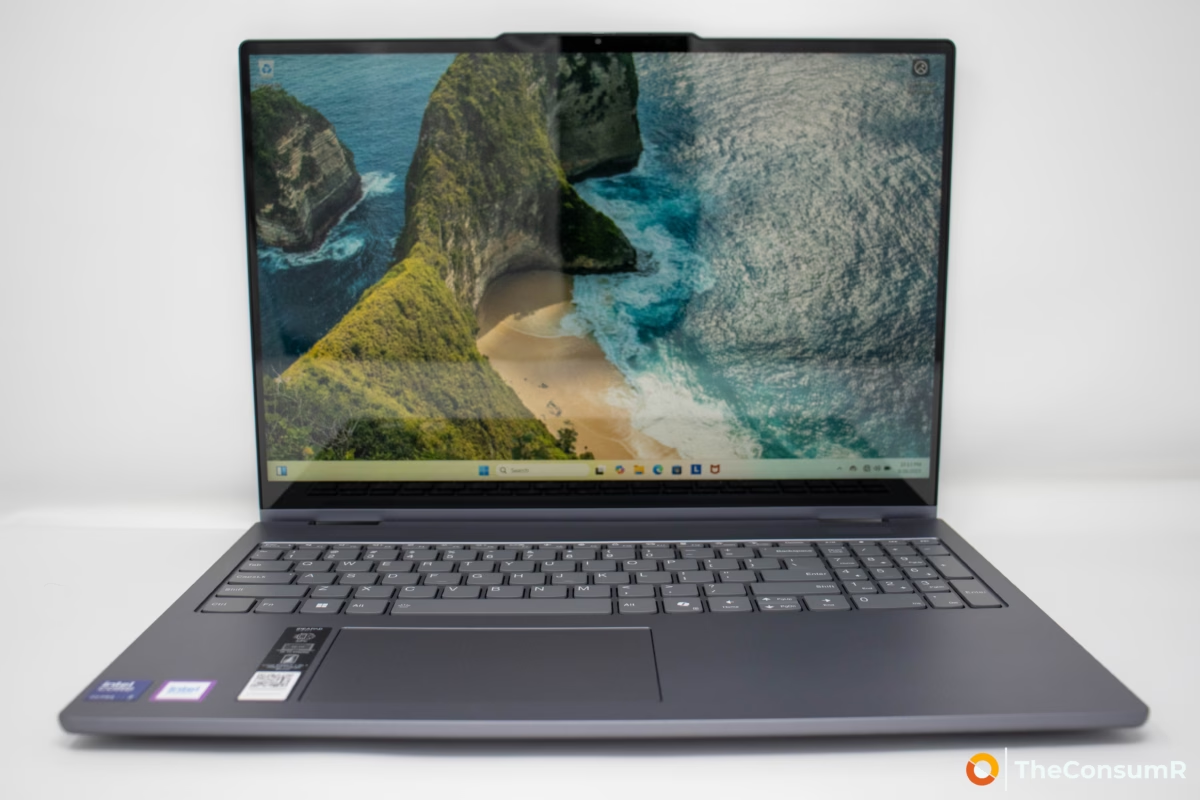
We review an endless stream of budget friendly-laptops. Because of this, it is a genuine pleasure to uncover a device like the Lenovo IdeaPad 5 2-in-1 16IAL10—a machine that manages to tick all the right boxes without breaking the bank. Positioned as a multimedia convertible, students and value seeking professionals are unlikely to be disappointed. Looking at its lower-mid range price tag and middling paper specifications, one might expect a compromised experience. Surprisingly, the opposite is true: the IdeaPad 5 proves that a cohesive design and reliable performance often matter far more than raw numbers on a spec sheet.
Table of Contents
Performance
Don’t let the midrange classification fool you; this IdeaPad 5 is powered by a more modern Intel Arrow Lake-U Core Ultra 7 255U CPU. This 12-core processor is backed by 16GB of DDR5 memory and a swift 512GB Samsung M.2 2242 SSD using PCIe 4.0 x4, ensuring the system feels snappy despite its budget-friendly positioning.
When compared to the HP Omnibook X Flip 14, the IdeaPad 5 proves to be the stronger workhorse. In our sustained office productivity testing, it outperformed the HP by 12.47%. It also successfully cleared our graphics benchmark suite, landing exactly where we expected: comfortably capable for high-end office work, though clearly not designed for gaming.
The lineup ranges from base-level Intel Graphics systems to the more performance-oriented Intel Arc 130T and 140T variants. While the Arc branding brings improved graphical fidelity, these are still integrated solutions that rely on shared system memory, making them ideal for multimedia and light creative work rather than heavy gaming.
Design and Connectivity
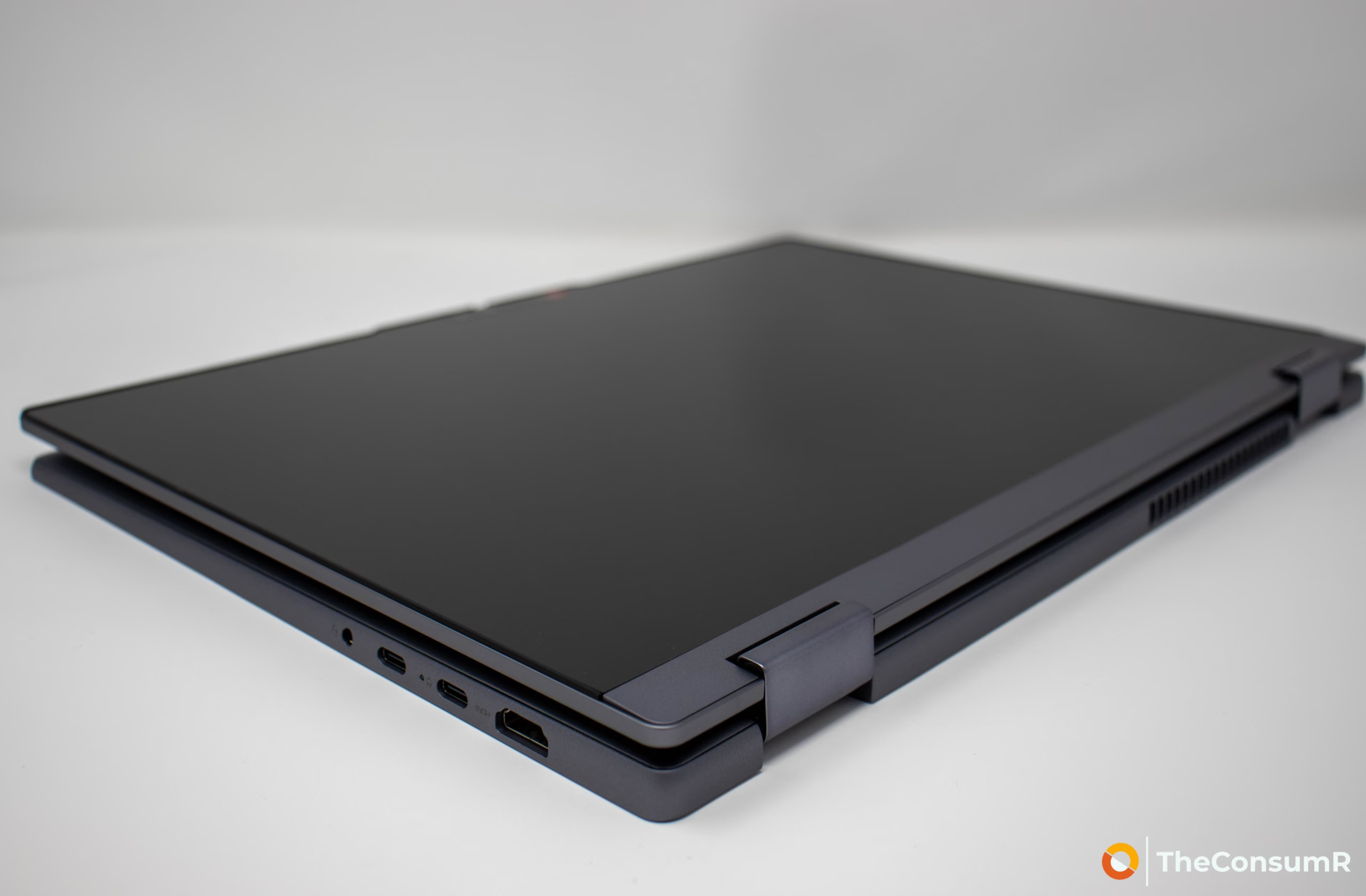
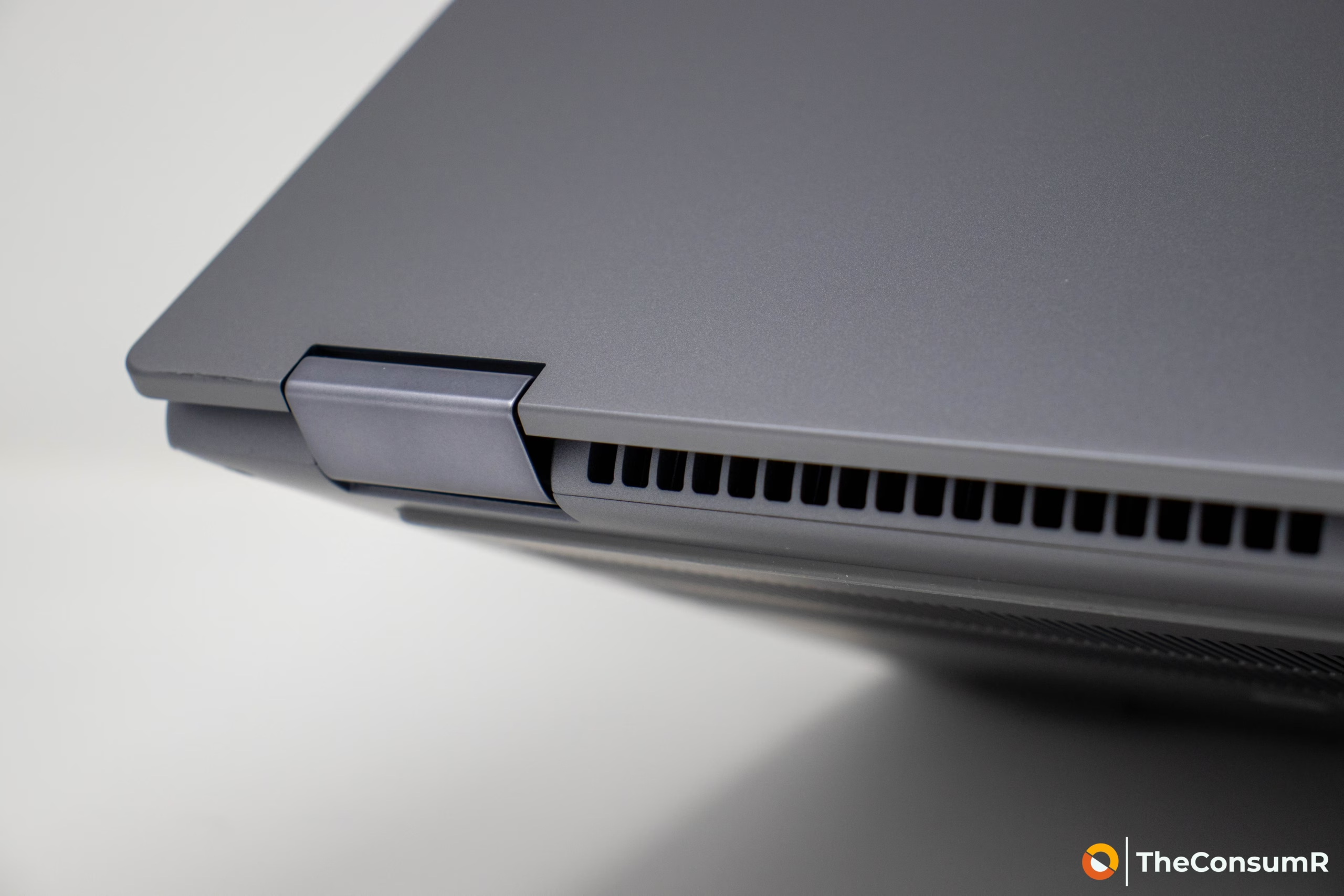
The IdeaPad 5 mimics a higher-end aesthetic with a chassis built from aluminum and ABS plastic. It feels robust, featuring well-constructed hinges that allow the 2kg (4.41 lb) device to rotate 360 degrees for tablet or tent usage. The input experience is handled by a smooth, buttonless Mylar touchpad with PTP support. It is available in two colorways: Cosmic Blue or Luna Gray.
Unfortunately, the I/O selection is a mixed bag. While the laptop includes two USB-C ports (10Gbps with PD and DP 1.4), two USB-A ports, 3.5mm audio/microphone, and a MicroSD reader, it lacks Thunderbolt support. This is a significant miss for a device with such broad appeal. Wireless connectivity varies by model; our unit featured Wi-Fi 6 and Bluetooth 5.2, though newer Wi-Fi 7 configurations are available. Wired Ethernet and WWAN are absent across the board.
Display and Camera
The IdeaPad 5 is equipped with a glossy 16-inch WUXGA IPS display. It features a resolution of 1920×1200 and supports multi-touch, though it is limited to a standard 60Hz refresh rate. The panel ships uncalibrated, and in our lab testing, we measured a peak luminance of 327.7 nits (cd/m²). While this brightness level and color accuracy are perfectly suitable for general office work and light multimedia consumption, the display is not robust enough for professional photo or video editing. For the average user, however, the viewing experience is sharp and generally pleasing.
The device is equipped with a 1080p FHD webcam featuring IR capabilities and a physical privacy shutter. It is strictly ‘functional’—fine for quick check-ins or occasional meetings, but it lacks the clarity required for professional conferencing. If your routine involves sustained, high-quality video communication, you will likely find this camera lacking and may want to consider a device with a more robust imaging system.
Keyboard
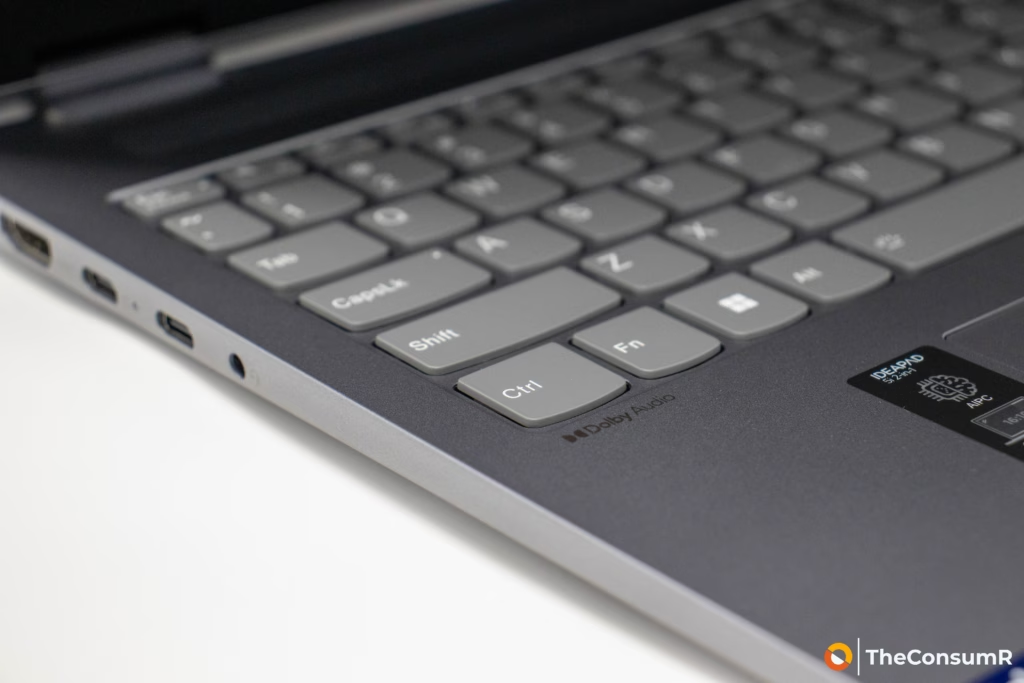
The input experience is handled by a 6-row, fully LED-backlit keyboard that includes a dedicated numeric keypad—a welcome addition for productivity users. The keys offer 1.3mm of travel; while this is shallower than the legendary actuation found on Lenovo’s ThinkPad series, the feedback remains snappy and distinct. Notably, the layout has been updated to include the new dedicated Co-pilot key, prioritizing AI integration alongside standard function keys.
Aesthetically, the keyboard is well-integrated. It sits flush within a recessed deck, framed by a subtle, well-designed ridge. This is a crucial feature for a 2-in-1, as it protects the keycaps from scraping against surfaces when the device is used in ‘Stand’ or ‘Tent’ modes.
Unlike our comparable device the HP Omnibook X Flip 14 the keyboard is purpose designed and allows for sustained use without discomfort.

Battery Life and Charging
Power is supplied by a 57Wh Li-ion battery that supports Lenovo’s Rapid Charge Boost technology, which purports to deliver two hours of runtime from a mere 15-minute charge. However, users should take the manufacturer’s longevity claims with a grain of salt. While Lenovo boasts an impressive battery life of nearly 18 hours, our own testing paints a more grounded picture. In continuous office productivity scenarios, we achieved a realistic maximum of 10 hours—still respectable, but well short of the marketing hype.
Conclusion
The Lenovo IdeaPad 5 2-in-1 16IAL10 is a prime example of why technical specifications rarely tell the whole story. Despite its “middling” paper specs, the device is a pleasant surprise in the crowded midrange market. The Intel Arrow Lake-U architecture punches well above its weight, delivering sustained productivity performance that comfortably outpaces competitors like the HP Omnibook X Flip 14. While Lenovo certainly made compromises to hit this price point—specifically the lack of Thunderbolt support, a strictly average 60Hz display, and a basic webcam—the sturdy aluminum-blend chassis and thoughtful ergonomic touches, such as the protective keyboard ridge, make the device feel far more premium than its cost suggests.
With a realistic 10 hours of battery life, a comfortable typing experience, and a flexible form factor, it stands out as a smart, capable choice for anyone seeking a versatile multimedia machine that balances performance and affordability.